


Automated migration to MaaS360
Our migration tool automates the migration to MaaS360, simplifies communication with your users, and ensures maximum transparency with clear monitoring.

Our migration tool automates the migration to MaaS360, simplifies communication with your users, and ensures maximum transparency with clear monitoring.

Are you planning to migrate to MaaS360? A good decision. But how do you successfully switch to MaaS360? This is where our EBF Onboarder comes in – your smart companion for automated, clean, and stress-free migration.
With EBF Onboarder, you can automate the entire migration process, simplify communication with your users, and benefit from detailed dashboards and reports for full transparency. In addition, we support you with proven migration tips – for a smooth transition. Over 3 million devices have already been successfully migrated with EBF Onboarder. When will you get started?
The EBF Onboarder supports migration from various popular UEM systems, including Cisco Meraki, BlackBerry UEM, Sophos Mobile Control, SOTI, XenMobile 9/10, and many more.
EBF Onboarder makes it easy for administrators to change UEM systems.
In the first step, administrators prepare the migration on the EBF Onboarder platform: settings, migration waves, target system and device selection, timing, communication.
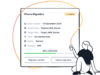
The EBF Onboarder platform sends automated mailings and/or push notifications with all important information to end users.
Users start the migration independently and at a time of their choosing, completing it with just a few clicks.
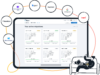
Admins can view the current migration progress at any time in a clear dashboard and can generate reports.
We offer 20 free trial migrations so you know exactly what you’re getting into.

The EBF Onboarder makes the migration as easy as possible for your IT team and your users – for a transition that really runs smoothly.
Intelligent migration planning in waves according to freely definable criteria makes the process clearly structured and manageable.
An integrated communication feature provides automated invitations, reminders, and success notifications for high participation and less support effort.
Users can perform the migration with just a few clicks at a time of their choosing, without any physical IT access.
Dashboards and reports provide insights into the current migration status at any time. You maintain an overview and can provide targeted support as needed.
From medium-sized companies to DAX 30 companies, our customers are represented worldwide and come from a wide variety of industries.

“Without EBF Onboarder for Microsoft Intune, the migration would not have gone so smoothly. Migration costs were reduced by an astonishing 90%, and the migration period was cut from 18 to 6 months.”

“Using the EBF Onboarder migration tool, combined with the in-depth workplace expertise of EBF and Bechtle, we were able to successfully reduce our migration schedule to a minimum. EBF’s support was very competent and fast.”

“In a complex environment—with many different users located in different places and speaking different languages—the multilingual EBF Onboarder is a great solution.”
Contact us and try out Onboarder for yourself to see how easy it can be to migrate to the new UEM system.

You are currently viewing a placeholder content from Hubspot Meetings. To access the actual content, click the button below. Please note that doing so will share data with third-party providers.
More Information