Apple Business is the new hub for the Apple ecosystem in businesses—how good is it really?
On April 14, 2026, Apple merged Apple Business Essentials, Apple Business Manager, and Apple Business Connect into a single, centralized platform. Apple promises that Apple Business will help businesses of all sizes with device management and app distribution. We had our UEM consulting experts take a look at this and compare it with existing UEM solutions. Read the results here.
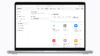
Centralization and Efficiency in Device Management
Apple Business features built-in mobile device management and helps organizations easily configure employee groups, device settings, security, and apps using templates to get started quickly.
- Employee management: You can create user groups by function or team to assign apps and roles. Companies can also create custom roles to manage access exactly as they see fit.
- App distribution: Apps can be easily procured and distributed via the App Store.
- Admin API: Larger-scale deployments are also made easier through API access to device, user, audit, and MDM service data.
Our conclusion: Yes, the platform aims to simplify IT—and it delivers on that promise, especially for smaller businesses with limited or no in-house IT resources. The new Blueprints feature, which allows devices to be set up with preconfigured settings and apps, enables fully automated deployment for employees, so that new Apple products are ready to use immediately. HOWEVER: For larger companies with 100–150 devices or more, it remains quite complex even with Apple Business, and there are more sensible alternatives for maintaining an overview.
Security regarding Managed Accounts
Apple Business promises a clear separation of personal and business data. Managed Apple Accounts ensure exactly that—technically secured through cryptographic separation directly on the device.
In combination with identity providers, the process can be automated in many ways:
- Automatic onboarding: New employees receive their account immediately upon joining—synchronized with the identity system.
- Data protected: Business data remains under the company’s control, while personal data remains untouched.
- Highly scalable: Up to 2 TB of cloud storage and optional AppleCare+ support can be added as needed.
Our conclusion: When it comes to security, the difference from mature UEMs is most evident. Enterprise UEM solutions have been optimized for years and are tailored to the specific requirements of larger companies. Here, it’s not just a matter of managing greater device complexity, but also of meeting higher compliance and audit requirements, among other things. And Apple Business is simply not yet geared toward this at this point in time. It lacks enterprise requirements such as conditional access, device compliance scoring, zero-trust enforcement, security baselines, automated remediation, SIEM/SOC integration, DLP, certificate management, NAC integration, and incident response workflows.
Business Tools, natively integrated
Apple Business now offers email, calendar, and directory services that are fully integrated and designed to make starting a new business as seamless as possible with a professional identity. This helps improve communication and collaboration and streamline workflows.
Here’s how Apple strengthens brand presence across the entire ecosystem:
- Consistent brand presence: Centrally manage logos, locations, and information—visible in Maps, Mail, Wallet, and Siri.
- Greater visibility: Showcases in Apple Maps bring your offerings directly to your customers.
- Better collaboration: Features like calendar delegation significantly simplify coordination in everyday life.
Our conclusion: This highlights Apple’s focus on branding—traditional UEMs place less emphasis on branding tools, even though they also cover collaboration services.
“Apple Business is the next step in strategically advancing the holistic ‘Apple at Work’ concept. With the addition of the MacBook Neo, Apple underscores this commitment and makes it clear that the issue is being taken more seriously today than ever before. However, compared to full-fledged UEM systems, it falls short in many areas—particularly with regard to compliance and security” says Abbas Banaha, current Partner Manager at EBF, Apple enthusiast, and former Technical Director at Apple.

What to keep in mind
For existing customers, the transition will happen automatically. The previous platforms will be replaced, and data will be migrated. However, to ensure everything runs smoothly, there are a few requirements:
- Current software: iOS 26, iPadOS 26, or macOS 26 are required for the new features.
- Pricing model: The basic plan remains free—costs apply only for additional storage or extended support.
- Lower recurring fees: For existing Essentials customers, the monthly fee for device management is waived.
If you’re considering whether Apple Business is the right device management tool for you, we’d be happy to advise you. While it may be suitable for smaller numbers of devices, it quickly becomes more challenging with larger or mixed fleets. In that case, there are a few additional points to consider:
- Number of devices and operating systems
- Location and international scope
- Security aspects
- Compliance requirements
Our overall conclusion
Apple Business is a positive step toward greater clarity—fewer tools, less friction. Exactly what modern IT needs today.
To ensure your transition goes just as smoothly as the new platform itself, we’re here to support you. This way, you can be sure to take full advantage of Apple Business from day one.
If you’re wondering whether Apple Business can help you with device management, we’d be happy to work with you to analyze your setup and requirements—and perhaps also any external security and compliance requirements. Professional consulting is particularly valuable in the context of audits, KRITIS regulations, or GDPR compliance.